Printable lined paper, true to scale
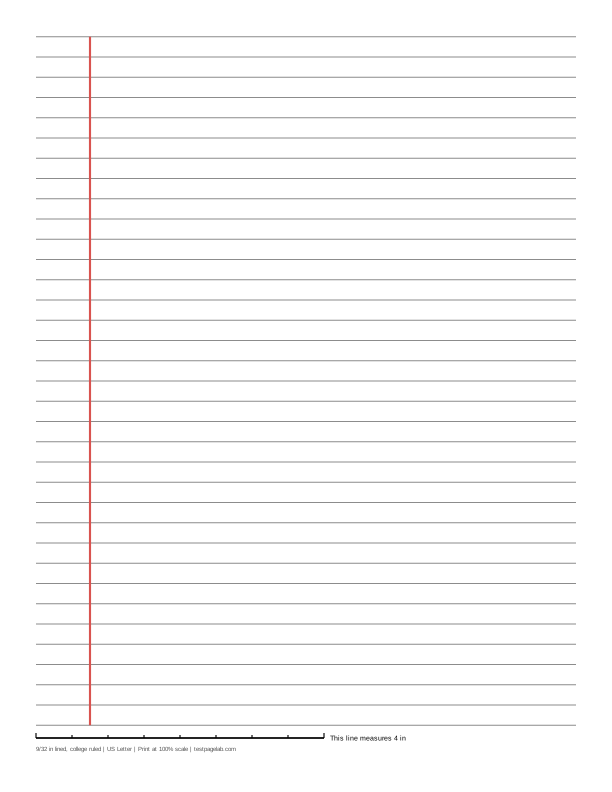
Print at 100%. In the print dialog choose Actual size (or Scale: 100), not Fit to page. Then hold a ruler to the line at the bottom of the sheet.
How to print at actual size, dialog by dialog
- Chrome and Edge: open More settings, find Scale, and pick Actual size if it is listed. If it is not, pick Custom and type 100. Avoid Fit to printable area and Fit to paper.
- Firefox: untick Fit to page width, then set Scale to 100.
- Safari and Preview on a Mac: set Scale to 100%, not Scale to Fit.
- Adobe Acrobat and Reader: under Page Sizing, choose Actual size. The file already asks for it.
- iPhone and iPad: the print sheet has no scale setting. Print, then measure the line.
- Android: this depends on the printer app. Turn off any Fit to page option, then measure the line.
- Any browser: pick the file that matches the paper in your printer. A US Letter file on A4 paper, or the reverse, gets shrunk to fit.
This is printable lined paper you set up yourself. Pick the space between the lines, keep or drop the red margin line, choose how dark the lines print, and choose US Letter or A4. The preview follows every change, and the PDF you download is drawn at the exact size you asked for, so college ruled lines print 9/32 inch apart and not a little less.
Every sheet carries a calibration line along the bottom: 4 inches long on inch sheets and 10 cm long on metric ones. Hold a ruler to it after printing: if the line is right, every line on the page is right.
The default is the ruled paper most people mean by notebook paper. On US Letter that is college ruled, 9/32 inch between lines, with a red margin line 1 1/4 inches from the left edge: 35 lines on the page at a half inch margin. On A4 it is 7 mm lines, 38 lines on the page at a 12 mm margin.
How the generator works
The lines run the full width inside the margins, and the sheet holds as many whole line spaces as fit, centered top to bottom. Each line is placed by its own distance from the first, so the last line is as exact as the first.
Line spacing is the distance between two lines: type 9/32, 0.3 or a size in millimeters, or pick a ruling from the list. The margin line is the red vertical line of loose-leaf and notebook paper, 1 1/4 inches (32 mm on metric sheets) from the left edge of the page. If your page margin is wider than that, the margin line would fall in the margin, so it is left off and the page says so.
Line weight runs from Fine (0.25 point lines) to Bold (0.6 point), where a point is 1/72 inch. Non-photo blue is a pale blue that many copiers and black and white scans leave out, so only your writing comes through.
The lined paper PDF is written by code running in this page. It holds real lines, so it stays sharp at any printer resolution.
Print it at 100%, not fit to page
Print dialogs shrink pages a little so nothing is cut off. For lined paper that changes the ruling: a shrunk college ruled sheet no longer matches the paper in your binder.
So when you print, choose Actual size, or set Scale to 100. The file asks viewers not to scale it, and Adobe Acrobat and Reader follow that request. Chrome's built-in PDF viewer, which is what opens most downloads, does not, so in Chrome or Edge open More settings and set Scale to Actual size, or to Custom and 100 if Actual size is not listed. The steps for other browsers and phones are in the list under the download buttons.
Match the file to the paper in your printer: a Letter file on A4 paper, or the reverse, gets shrunk to fit even at 100%.
Check your print with the calibration line
The line at the bottom of every sheet is exactly 4 inches long on inch sheets and exactly 10 cm long on metric sheets. Lay a ruler along it with zero at the left end. The small ticks mark every half inch or every centimeter.
| The 4 in line measures | The 10 cm line measures | What happened |
|---|---|---|
| 4 in, within about 1/32 in | 100 mm, within about 0.5 mm | Printed at actual size. |
| about 3 7/8 in (3.89 in) | about 97.3 mm | A US Letter file was shrunk to fit A4 paper. |
| about 3 3/4 in (3.76 in) | about 94.1 mm | An A4 file was shrunk to fit US Letter paper. |
| about 3.8 to 3.9 in | about 95 to 97 mm | Fit to printable area or Fit to page was on. |
| about 4 1/16 to 4 1/8 in | about 102 to 103 mm | Borderless printing enlarged the page. |
If the line is off by some ratio, every line space is off by the same ratio. A line of 3.89 inches means college ruled lines came out about 0.274 inch apart instead of 0.281.
Which ruling to print
- College ruled: 9/32 inch between lines, the default above. The page on college ruled paper compares it with wide and narrow ruled.
- Wide ruled paper: 11/32 inch between lines, more room for larger handwriting, also sold as legal ruled.
- Narrow ruled: 1/4 inch between lines, for small writing and dense notes. Pick it from the Line spacing list above.
- Handwriting paper: rows of three lines, a solid top line, a dashed midline and a baseline, for practicing the shape and height of letters.
On A4, 8 mm and 7 mm are the usual exercise book rulings, and 6 mm is a narrow ruling for small writing.
PDF or PNG
The PDF is the file to print. It is vector, it has the page size built in, and it is the only one that can carry the request not to scale.
The PNG is for note-taking apps that want an image as a page background, a lined paper template or notebook paper template behind your handwriting on a tablet. It is drawn at 300 pixels per inch and says so inside the file, but many image viewers fit a picture to the paper when printing, so print from the PDF. Ready-made college ruled PDFs for Letter and A4 sit under the download buttons: the quickest notebook paper to print.
What this page does not do
It does not upload anything, and there is no account. It cannot see your printer, which is why the calibration line is there. The preview is a picture of the sheet, not the sheet at actual size.
Frequently asked questions
What is the difference between college ruled and wide ruled paper?
The space between the lines. College ruled lines are 9/32 inch apart, about 7.1 mm, and wide ruled lines are 11/32 inch apart, about 8.7 mm. On a Letter page with half inch margins that is 35 lines against 28. Narrow ruled, at 1/4 inch, fits 39.
How do I print lined paper at the right size?
Download the PDF for the paper that is in your printer. In the print dialog choose Actual size, or set Scale to 100, and turn off anything called Fit to page. Then measure the line at the bottom of the sheet: it should be 4 inches on an inch sheet or 10 cm on a metric one.
Is notebook paper the same as lined paper?
Yes. Notebook paper, ruled paper, writing paper and paper with lines all mean paper printed with evenly spaced horizontal lines, so printable notebook paper, printable ruled paper, printable writing paper and printable paper with lines are this same sheet. Loose-leaf notebook paper in the US is usually college or wide ruled with a red margin line, as drawn here.
Can I turn off the red margin line?
Yes. Clear the Margin line box above and the sheet is lines only. The margin line is also left off when your page margin is wider than 1 1/4 inches, because the line would fall inside the margin.
Is this lined paper free, and is anything uploaded?
It is free printable lined paper, and there is no account. Each sheet is drawn by code running in your browser. The only thing sent anywhere is an anonymous count of page views and downloads, described on the privacy page.