Printable staff paper, true to scale
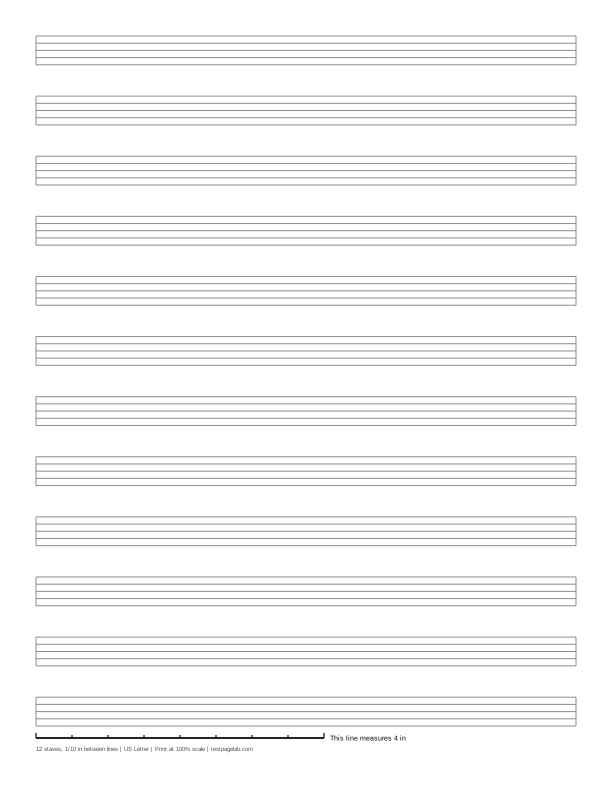
Print at 100%. In the print dialog choose Actual size (or Scale: 100), not Fit to page. Then hold a ruler to the line at the bottom of the sheet.
How to print at actual size, dialog by dialog
- Chrome and Edge: open More settings, find Scale, and pick Actual size if it is listed. If it is not, pick Custom and type 100. Avoid Fit to printable area and Fit to paper.
- Firefox: untick Fit to page width, then set Scale to 100.
- Safari and Preview on a Mac: set Scale to 100%, not Scale to Fit.
- Adobe Acrobat and Reader: under Page Sizing, choose Actual size. The file already asks for it.
- iPhone and iPad: the print sheet has no scale setting. Print, then measure the line.
- Android: this depends on the printer app. Turn off any Fit to page option, then measure the line.
- Any browser: pick the file that matches the paper in your printer. A US Letter file on A4 paper, or the reverse, gets shrunk to fit.
This is printable staff paper you set up yourself. Choose how many staves the page holds, how far apart the five lines of each staff are, how dark the lines print, and whether the sheet is US Letter or A4. The preview follows every change, and the PDF you download is drawn at the exact size you asked for.
The default is the music staff paper most people mean: 12 staves on the page. On US Letter the lines of each staff are 1/10 inch apart, so a staff is 0.4 inch tall, with about 0.43 in of clear space between staves at a half inch margin. On A4 the lines are 2.5 mm apart, a staff 10 mm tall, and about 13 mm between staves at a 12 mm margin.
Every sheet carries a calibration line along the bottom: 4 inches long on inch sheets and 10 cm long on metric ones. Hold a ruler to it after printing to know the page came out at the size you chose.
How the generator works
Each staff is five lines, closed by a short line at each end. Line spacing is the distance between two lines of one staff, so a staff is four spaces tall. The first staff's top line sits at the top margin and the last staff's bottom line at the bottom margin, and the staves in between are spread so the space between every pair is the same. One staff on its own is centered.
You can ask for 1 to 16 staves. The space between staves never shrinks below the height of one staff, so notes above and below the lines have room: ask for more staves than fit at that size, and the page tells you how many do and draws that many. Smaller line spacing fits more staves; larger spacing is easier to read and write in.
Line weight runs from Fine (0.25 point lines) to Bold (0.6 point), where a point is 1/72 inch. Black is a good choice for music that will be copied; gray is easier on the eye for sketching ideas.
The staff paper PDF is written by code running in this page. It holds real lines, so it stays sharp at any printer resolution, and a full sheet is about 4 KB.
Print it at 100%, not fit to page
Print dialogs shrink pages a little so nothing is cut off. For staff paper that shrinks every staff: notes you write still fit, but the staves no longer match the spacing you picked or another sheet printed at full size.
So when you print, choose Actual size, or set Scale to 100. The file asks viewers not to scale it, and Adobe Acrobat and Reader follow that request. Chrome's built-in PDF viewer, which opens most downloads, does not, so in Chrome or Edge open More settings and set Scale to Actual size, or to Custom and 100 if Actual size is not listed. The steps for other browsers and phones are in the list under the download buttons.
Print the Letter file on Letter paper and the A4 file on A4, or the page is shrunk to fit even at 100%.
Check your print with the calibration line
The line at the bottom of every sheet is exactly 4 inches long on inch sheets and exactly 10 cm long on metric sheets. Lay a ruler along it with zero at the left end; the small ticks mark every half inch or every centimeter.
| The 4 in line measures | The 10 cm line measures | What happened |
|---|---|---|
| 4 in, within about 1/32 in | 100 mm, within about 0.5 mm | Printed at actual size. |
| about 3 7/8 in (3.89 in) | about 97.3 mm | A US Letter file was shrunk to fit A4 paper. |
| about 3 3/4 in (3.76 in) | about 94.1 mm | An A4 file was shrunk to fit US Letter paper. |
| about 3.8 to 3.9 in | about 95 to 97 mm | Fit to printable area or Fit to page was on. |
| about 4 1/16 to 4 1/8 in | about 102 to 103 mm | Borderless printing enlarged the page. |
A short line means every staff is short by the same ratio. At 3.89 inches, 1/10 inch line spacing came out about 0.097 inch, and each staff about 0.389 inch tall instead of 0.4.
Staff paper, manuscript paper and blank sheet music
They are the same thing: blank staves to write music on. Manuscript paper is the usual name in Britain and in music schools, music staff paper and music paper in the US, and blank sheet music is what most people search for. Blank staff paper, blank manuscript paper, a blank music staff and blank staves all mean the same page with nothing on it yet.
The staves here have no clef, key or time signature, so one sheet serves any instrument or voice: write the clef you need at the start of each staff. Twelve staves a page is the usual layout of manuscript pads; fewer, larger staves suit beginners and anyone writing by hand at speed.
PDF or PNG
The PDF is the file to print, and the staff paper PDF is the one that keeps its size. The PNG is drawn at 300 pixels per inch for notation sketches in a tablet note app; image viewers often fit pictures to the paper, so print from the PDF. Ready-made 12-stave PDFs for Letter and A4 are under the download buttons.
What this page does not do
It does not upload anything, and there is no account, and it is not a notation editor: nothing is played back or engraved. It cannot see your printer, which is why the calibration line is there. The preview is a picture of the sheet, not the sheet at actual size.
Frequently asked questions
How many staves are on a page of staff paper?
Twelve is the usual number, and it is the default here. You can choose anything from 1 to 16; at larger line spacing fewer fit, and the page says how many.
What size is a staff on standard staff paper?
There is no single standard: printed music comes in many staff sizes, and writing by hand needs more room than engraving. The default here is a staff 0.4 inch tall on Letter and 10 mm on A4; lower the line spacing for smaller staves or raise it for larger ones.
Is there a free staff paper PDF?
Yes. Free printable staff paper PDFs, 12 staves on US Letter and on A4, are under the download buttons, and the generator makes a PDF of any other layout. Print it at 100% and check the line at the bottom.
Can I print staff paper with a treble clef?
This page prints plain staves without a clef, so a sheet works for treble, bass or any other clef. Write the clef at the start of each staff, or set fewer staves to leave room for it.
Is this staff paper free, and is anything uploaded?
It is free and there is no account. Each sheet is drawn by code running in your browser, and the only thing sent anywhere is an anonymous count of page views and downloads, described on the privacy page.