1/2 inch graph paper
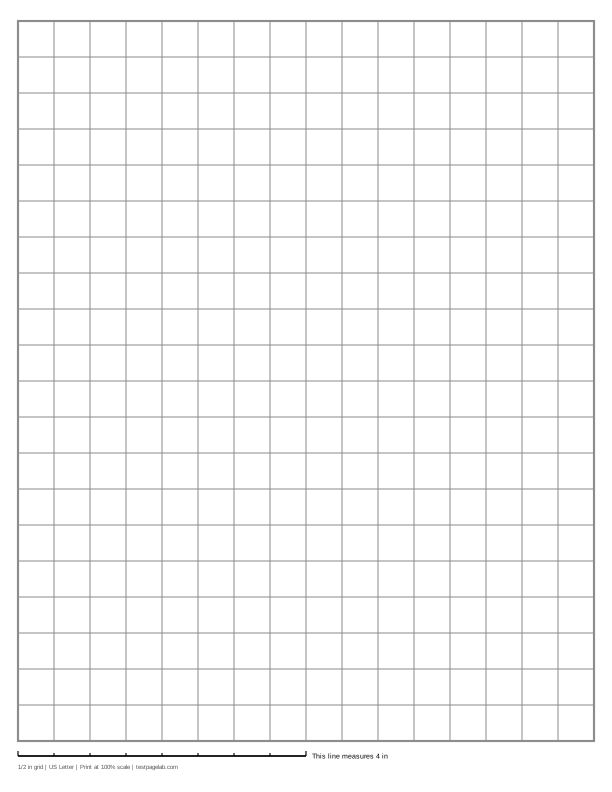
Print at 100%. In the print dialog choose Actual size (or Scale: 100), not Fit to page. Then hold a ruler to the line at the bottom of the sheet.
How to print at actual size, dialog by dialog
- Chrome and Edge: open More settings, find Scale, and pick Actual size if it is listed. If it is not, pick Custom and type 100. Avoid Fit to printable area and Fit to paper.
- Firefox: untick Fit to page width, then set Scale to 100.
- Safari and Preview on a Mac: set Scale to 100%, not Scale to Fit.
- Adobe Acrobat and Reader: under Page Sizing, choose Actual size. The file already asks for it.
- iPhone and iPad: the print sheet has no scale setting. Print, then measure the line.
- Android: this depends on the printer app. Turn off any Fit to page option, then measure the line.
- Any browser: pick the file that matches the paper in your printer. A US Letter file on A4 paper, or the reverse, gets shrunk to fit.
Printable 1/2 inch graph paper: two squares to the inch, each square half an inch on a side. On US Letter the sheet is 16 squares across and 20 down, a grid exactly 8 by 10 inches. On A4 it is 15 by 21 squares, a grid 7.5 by 10.5 inches.
Half inch graph paper is the size to reach for when the squares have to hold something: a whole number, a letter, a word in large print, or a child's first attempts at writing digits in columns. The generator above starts from it, and the ready-made PDFs under the download buttons are this exact sheet.
Two squares to the inch
Every square is 1/2 inch on a side, 12.7 mm. Inside the border every line is drawn at the same weight, so the page reads as an even grid with no blocks marked out, and two squares make an inch. To mark every inch with a heavier line, set Heavier line to Every 2 lines.
The same sheet is sold as half inch grid paper, 1/2 inch grid paper or 2 squares per inch graph paper. All of them mean this ruling. It is not the same as 1 cm graph paper, although the two are close: a centimeter is a little smaller, so across a row of 16 squares the difference grows to 43 mm, more than an inch and a half.
The sheet, square by square
The grid is centered, with 1/4 inch margins at the sides and a strip at the bottom for the calibration line. On US Letter that leaves room for exactly 8 inches of grid across and 10 inches down: 16 by 20 squares, 320 in all.
On A4 paper the page is narrower and taller, so the same squares fit 15 across and 21 down, a grid 7.5 by 10.5 inches, 315 squares. The squares themselves do not change size. If you print on A4 and want half inch squares, this is the file to print, not the Letter one.
What 1/2 inch graph paper is for
- Early math. Lining up digits for addition, subtraction and long multiplication, one digit to a square, at the size young children write. Place value charts and hundred charts fit with room to spare.
- Large print. Worksheets and charts for readers with low vision, where a 1/4 inch grid is too small to see or to write in.
- Plans at half an inch to the foot. That is a standard architectural scale for detailed drawings, so each square is one foot. A Letter sheet holds a room or a garden bed 16 by 20 feet.
- Charts and games. Seating charts, chore charts, pixel art, board game maps and battleship grids, where each square is a place to write in.
Print it at 100%
Two squares on the printed sheet should measure exactly one inch. That only happens when the print dialog leaves the page alone. In Chrome and Edge, open More settings and set Scale to Actual size, or to Custom and 100. In Safari or Preview set Scale to 100%. Turn off Fit to page anywhere you see it. The dialog-by-dialog list is under the download buttons.
Use the US Letter file on Letter paper and the A4 file on A4. Printing one on the other makes most printers shrink it, even at 100%.
Check it with the line
The line at the bottom of the sheet is exactly 4 inches long, with a small tick every half inch. Measure it with a ruler, or count: 8 squares should span it exactly.
| The 4 in line measures | One square measures | What happened |
|---|---|---|
| 4 in, within about 1/32 in | 1/2 in | Printed at actual size. |
| about 3 7/8 in (3.89 in) | about 0.486 in | A US Letter file was shrunk to fit A4 paper. |
| about 3 3/4 in (3.76 in) | about 0.470 in | An A4 file was shrunk to fit US Letter paper. |
| about 3.8 to 3.9 in | about 0.48 in | Fit to printable area or Fit to page was on. |
| about 4 1/16 to 4 1/8 in | about 0.51 in | Borderless printing enlarged the page. |
A square of 0.486 inch looks right on its own. It only shows up across a row: 16 of them come to about 7 25/32 inches instead of 8.
Other sizes
The same generator draws 1/4 inch graph paper, 1 inch graph paper, 1 cm and 5 mm graph paper, isometric graph paper, dot grid paper and coordinate plane graph paper with numbered axes. For any other size, change Spacing on the main graph paper page or right here.
Frequently asked questions
Is half inch graph paper the same as 1/2 inch graph paper?
Yes. Half inch, 1/2 inch and 2 squares per inch all mean squares half an inch on a side. Some pads add a darker line every inch; inside its border this sheet draws every line the same, and Heavier line, set to Every 2 lines, adds one.
How many squares are on a sheet of 1/2 inch graph paper?
On US Letter with 1/4 inch margins, 16 across and 20 down, 320 squares. On A4, 15 across and 21 down, 315 squares. Smaller margins can add a row or a column, but most printers cannot print closer than about 1/5 inch to the edge.
Can I print 1/2 inch graph paper on A4?
Yes. Choose A4 at the top of the generator, or use the A4 file under the download buttons. The squares stay exactly 1/2 inch; the sheet just fits 15 of them across instead of 16.
Why do my squares measure a little less than 1/2 inch?
The page was scaled down when it printed. Measure the 4 inch line at the bottom: if it is close to 3 7/8 inches, a Letter file went to A4 paper, and if it is 3.8 to 3.9 inches, Fit to page was on. Set Scale to 100 and print again.
Can I make the lines darker or lighter?
Set Line weight to Bold and Color to Black for lines that print clearly on any printer, including one in draft or toner saving mode. For a grid that stays in the background, keep Gray, or choose Non-photo blue, which many copiers and scanners leave out.