Isometric graph paper
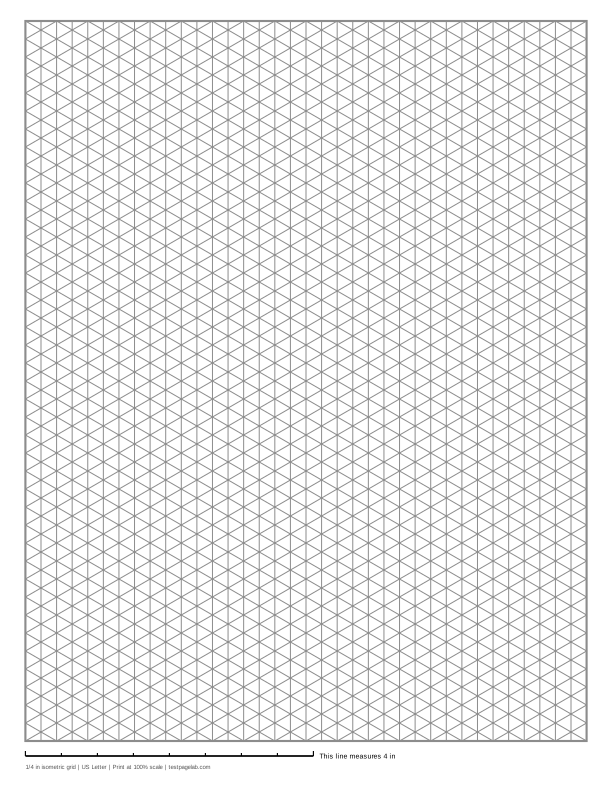
Print at 100%. In the print dialog choose Actual size (or Scale: 100), not Fit to page. Then hold a ruler to the line at the bottom of the sheet.
How to print at actual size, dialog by dialog
- Chrome and Edge: open More settings, find Scale, and pick Actual size if it is listed. If it is not, pick Custom and type 100. Avoid Fit to printable area and Fit to paper.
- Firefox: untick Fit to page width, then set Scale to 100.
- Safari and Preview on a Mac: set Scale to 100%, not Scale to Fit.
- Adobe Acrobat and Reader: under Page Sizing, choose Actual size. The file already asks for it.
- iPhone and iPad: the print sheet has no scale setting. Print, then measure the line.
- Android: this depends on the printer app. Turn off any Fit to page option, then measure the line.
- Any browser: pick the file that matches the paper in your printer. A US Letter file on A4 paper, or the reverse, gets shrunk to fit.
Printable isometric graph paper: three sets of lines, one vertical and two at 30 degrees to the horizontal, crossing to make equilateral triangles. It is the paper for drawing three-dimensional objects, where every edge of a box runs along one of the three directions. The generator draws it with lines or as isometric dot paper, in any triangle size, on US Letter or A4.
On US Letter the default triangles are 1/4 inch on a side, and the grid is 36 columns wide and 40 triangle sides tall, 7.79 by 10 inches. On A4 they are 5 mm on a side, 45 columns by 54, a grid 194.9 by 270 mm.
How isometric paper is drawn
Every line on the sheet runs in one of three directions, 60 degrees apart: straight up and down, rising to the right at 30 degrees, and rising to the left at 30 degrees. Where they cross, they form triangles with three equal sides.
The size you choose under Spacing is the side of a triangle, which is also the distance between two neighboring crossings along any line. It is not the distance between two parallel lines. That distance is shorter, the side multiplied by 0.866: with 1/4 inch triangles the vertical lines are 0.217 inch apart, and with 5 mm triangles they are 4.33 mm apart. Some sites quote the smaller number as the size, so check which one a pattern means before you choose.
The grid is centered, ends on whole columns and rows, and is framed by a border. A heavier line can be added every 2, 4, 5 or 10 lines in all three directions, which helps with large drawings.
Lines or dots
Isometric dot paper puts a dot at every crossing and leaves out the lines. It is quieter on the page, so finished drawings read more clearly, and lettering or shading does not fight a web of lines. The lines are easier for a first drawing, because every edge is already there to trace.
Choose Isometric dots under Pattern to switch. The ready-made files under the download buttons include the dot version for both papers: 1,499 dots on US Letter and 2,507 on A4.
Drawing a cube on isometric paper
- Pick a crossing for the nearest corner of the cube.
- Draw its three edges from that point: one straight up, one along each of the two slanted directions, each three triangle sides long.
- From the top of the vertical edge, draw the two top edges parallel to the slanted ones.
- From the far ends of the slanted edges, draw the two back vertical edges up to meet them.
- Close the top face with the last two edges.
Every edge is the same number of triangle sides long, which is what makes the drawing isometric: lengths along all three axes are drawn at the same scale.
Print it at 100%
Isometric drawings are often measured, for example to count a model in units, so the triangles should print at the size you chose. In Chrome and Edge, open More settings and set Scale to Actual size, or to Custom and 100. In Safari or Preview set Scale to 100%. Turn off Fit to page anywhere you see it. Print the Letter file on Letter paper and the A4 file on A4.
Check it with the line
The line at the bottom of the sheet is exactly 4 inches long on inch sheets and exactly 10 cm long on metric sheets.
| The 4 in line measures | The 10 cm line measures | What happened |
|---|---|---|
| 4 in, within about 1/32 in | 100 mm, within about 0.5 mm | Printed at actual size. |
| about 3 7/8 in (3.89 in) | about 97.3 mm | A US Letter file was shrunk to fit A4 paper. |
| about 3 3/4 in (3.76 in) | about 94.1 mm | An A4 file was shrunk to fit US Letter paper. |
| about 3.8 to 3.9 in | about 95 to 97 mm | Fit to printable area or Fit to page was on. |
| about 4 1/16 to 4 1/8 in | about 102 to 103 mm | Borderless printing enlarged the page. |
A scaled page still shows perfect triangles, which is why the line matters: the angles survive scaling, and only the size changes.
Other sheets
The same generator draws square graph paper in any size, including 1/4 inch, 1 cm and 5 mm, and dot grid paper with dots on a square grid.
Frequently asked questions
What angle are the lines on isometric paper?
The slanted lines are at 30 degrees to the horizontal, one set rising to the right and one to the left, and the third set is vertical. Any two of the three directions are 60 degrees apart, which is why the cells are equilateral triangles.
What size should the triangles be?
For sketching objects by hand, 1/4 inch or 5 mm triangles give plenty of detail on one sheet. For young students or large models, 1/2 inch or 1 cm triangles are easier to count. Set it under Spacing; the size is the side of one triangle.
What is the difference between isometric and orthographic drawing?
An orthographic drawing shows one face of an object at a time, front, top or side, each on a square grid. An isometric drawing shows three faces at once in a single view. Isometric paper is for the second kind.
Should I use isometric dot paper or lines?
Dots for finished drawings and lettering, because they disappear under the ink. Lines for learning and for complicated shapes, because every edge is there to follow.
Can I get the triangles pointing sideways?
The generator draws the version with vertical lines, the usual one. For rows of triangles with horizontal lines, print it and turn the sheet a quarter turn.