Engineering paper
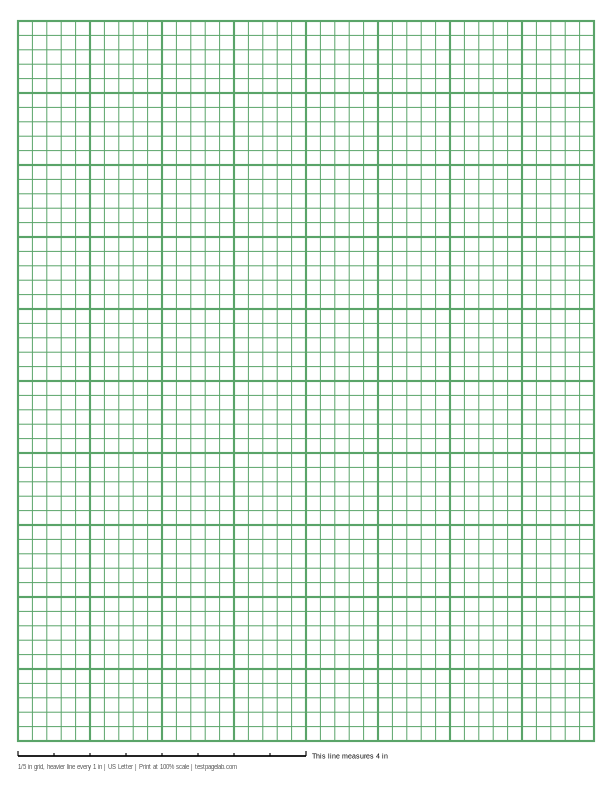
Print at 100%. In the print dialog choose Actual size (or Scale: 100), not Fit to page. Then hold a ruler to the line at the bottom of the sheet.
How to print at actual size, dialog by dialog
- Chrome and Edge: open More settings, find Scale, and pick Actual size if it is listed. If it is not, pick Custom and type 100. Avoid Fit to printable area and Fit to paper.
- Firefox: untick Fit to page width, then set Scale to 100.
- Safari and Preview on a Mac: set Scale to 100%, not Scale to Fit.
- Adobe Acrobat and Reader: under Page Sizing, choose Actual size. The file already asks for it.
- iPhone and iPad: the print sheet has no scale setting. Print, then measure the line.
- Android: this depends on the printer app. Turn off any Fit to page option, then measure the line.
- Any browser: pick the file that matches the paper in your printer. A US Letter file on A4 paper, or the reverse, gets shrunk to fit.
Printable engineering paper: a grid of squares 1/5 inch on a side, five to the inch, with a heavier line every inch, printed in green. On US Letter the sheet is 40 squares across and 50 down, a grid of 8 by 10 inches. On A4 it is 35 by 50 squares, a grid 7 by 10 inches.
The generator above starts from it, and the ready-made PDFs under the download buttons are this exact sheet, with a version ten squares to the inch beside them. Every setting can still be changed.
Five squares to the inch
Engineering paper, also sold as engineering computation paper or engineering graph paper, is ruled five squares to the inch. Each square is 0.2 inch, about 5.08 mm, and every fifth line is heavier, so each heavy square is exactly one inch. Count the heavy squares for inches and the small ones for fifths: 0.2, 0.4, 0.6, 0.8. That decimal split is what sets it apart from 1/4 inch graph paper, which divides the inch into quarters.
Why it is green
Engineering pads are traditionally light green, with the grid printed on the back of the sheet, so the lines show through faintly and never compete with the work on the front. A printer can't print through the paper, so this sheet prints a light green grid on the front instead: clear enough to guide a pencil, light enough to read a calculation over. For a fainter or darker grid, change Color above to non-photo blue, gray or black.
Ten squares to the inch
For finer plots and scale drawings, the 10 per inch file divides each inch into ten squares of 0.1 inch, still with a heavier line every inch: 80 by 100 squares on US Letter, 70 by 100 on A4. It is under the download buttons, named 10 per inch.
What engineering paper is for
- Engineering and physics homework. Calculations set out neatly, with the grid keeping columns of numbers and units in line, and room to sketch a diagram beside them.
- Hand-drawn graphs. Data plotted to a decimal scale, five or ten squares to the unit, so values read straight off the grid.
- Scale drawings. Floor plans, circuit layouts and parts drawn square by square.
- Lab work. Sheets for measured data and sketches, to file in a binder.
Print it at 100%
Each square on the printed sheet should measure exactly 1/5 inch. That only happens when the print dialog leaves the page alone. In Chrome and Edge, open More settings and set Scale to Actual size, or to Custom and 100. In Safari or Preview set Scale to 100%. Turn off Fit to page anywhere you see it. The dialog-by-dialog list is under the download buttons.
Use the US Letter file on Letter paper and the A4 file on A4. Printing one on the other makes most printers shrink it, even at 100%.
Check it with the line
The line at the bottom of the sheet is exactly 4 inches long, with a small tick every half inch. Measure it with a ruler, or count: it spans 20 squares, four of the heavy one inch squares. No ruler to hand? Print the printable ruler and check it with a bank card first: if the card fits its outline, the ruler is true, and it will measure this line.
| The 4 in line measures | One square measures | What happened |
|---|---|---|
| 4 in, within about 1/32 in | 0.2 in | Printed at actual size. |
| about 3 7/8 in (3.89 in) | about 0.195 in | A US Letter file was shrunk to fit A4 paper. |
| about 3 3/4 in (3.76 in) | about 0.188 in | An A4 file was shrunk to fit US Letter paper. |
| about 3.8 to 3.9 in | about 0.19 to 0.195 in | Fit to printable area or Fit to page was on. |
| about 4 1/16 to 4 1/8 in | about 0.203 to 0.206 in | Borderless printing enlarged the page. |
Other sizes
The same generator draws 1/4 inch, 1/2 inch and 1 inch graph paper, 1 cm and 5 mm graph paper, isometric graph paper, dot grid paper and coordinate plane graph paper with numbered axes. For any other size, change Spacing on the main graph paper page or right here.
Frequently asked questions
Is engineering paper the same as graph paper?
It is one kind of graph paper: squares five to the inch, with a heavier line every inch, usually in green. The graph paper most US schools use is 1/4 inch, four squares to the inch. Both are square grids; only the size of the squares and the color differ.
How many squares per inch is engineering paper?
Five, each 1/5 inch (0.2 inch, about 5.08 mm) on a side, with a heavier line every inch. Some engineering paper is ten to the inch instead; that sheet is here too, under the download buttons.
Why is engineering paper green?
Engineering pads use light green paper with the grid printed on the back, so the grid shows through faintly and the work on the front stays easy to read. This printable sheet keeps the green and prints the grid lightly on the front.
Can I print engineering paper on A4?
Yes. Choose A4 at the top of the generator, or use the A4 file under the download buttons. The squares stay exactly 1/5 inch; the sheet fits 35 of them across and 50 down, a grid of 7 by 10 inches.
Why do my squares measure a little less than 1/5 inch?
The page was scaled down when it printed. Measure the 4 inch line at the bottom: if it is close to 3 7/8 inches, a Letter file went to A4 paper, and if it is 3.8 to 3.9 inches, Fit to page was on. Set Scale to 100 and print again.